Remote guest on the big screen, with camera and screen apart
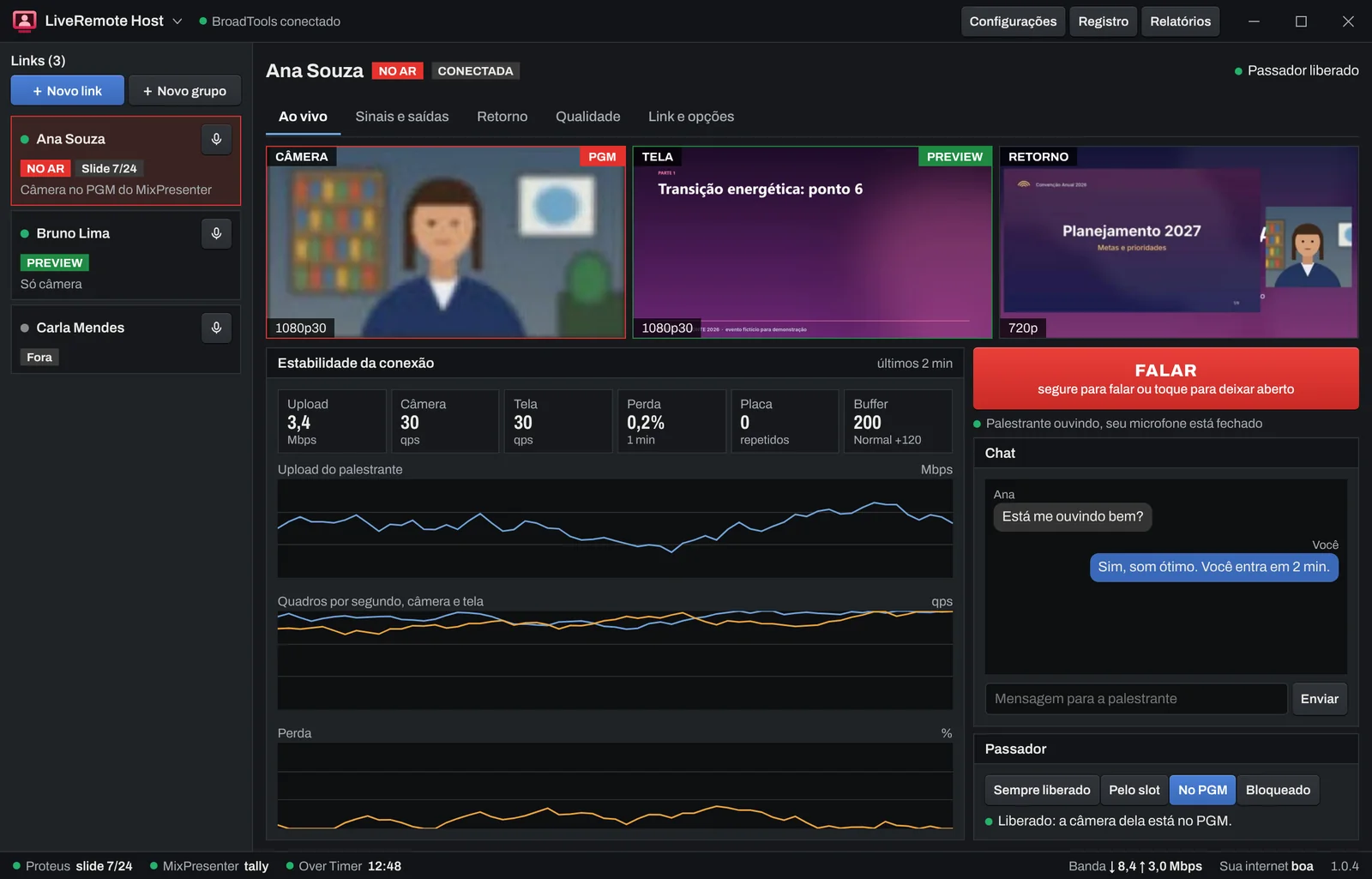
Receive the guest's camera and screen over NDI or SDI/HDMI cards, with voice to the console, return feed, clicker and time, integrated with Over Timer, Proteus, Phantom and MixPresenter.
What it does
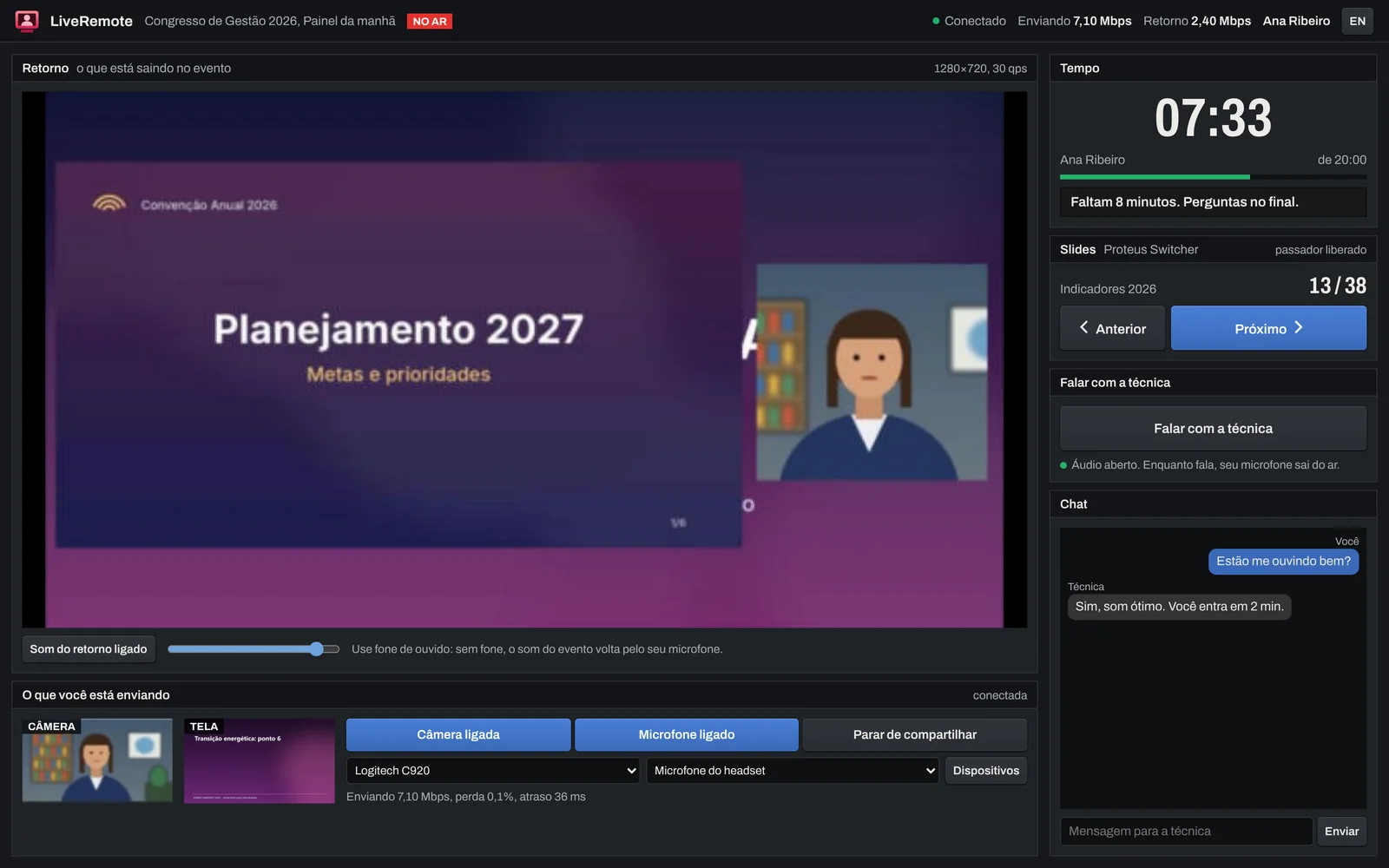
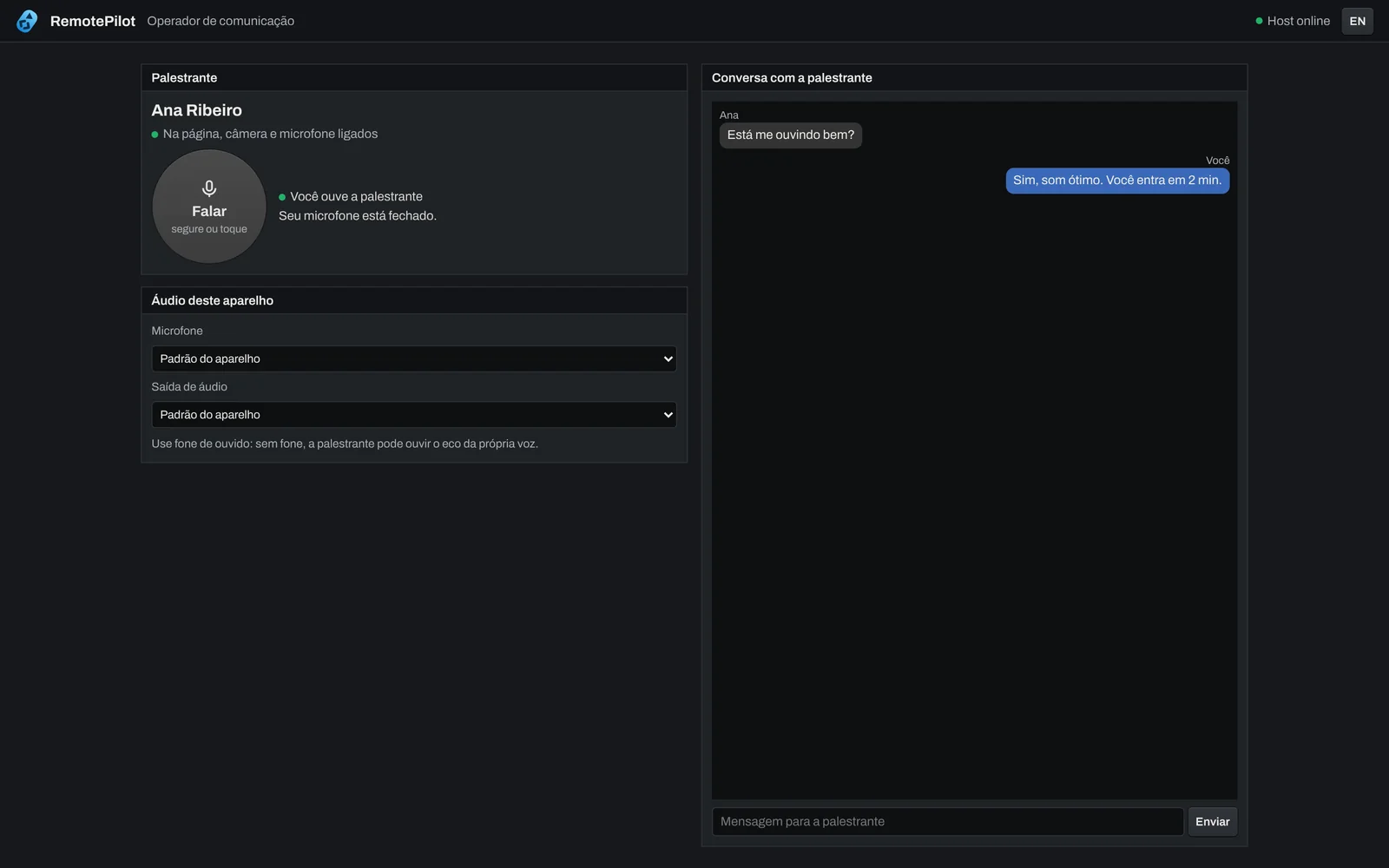
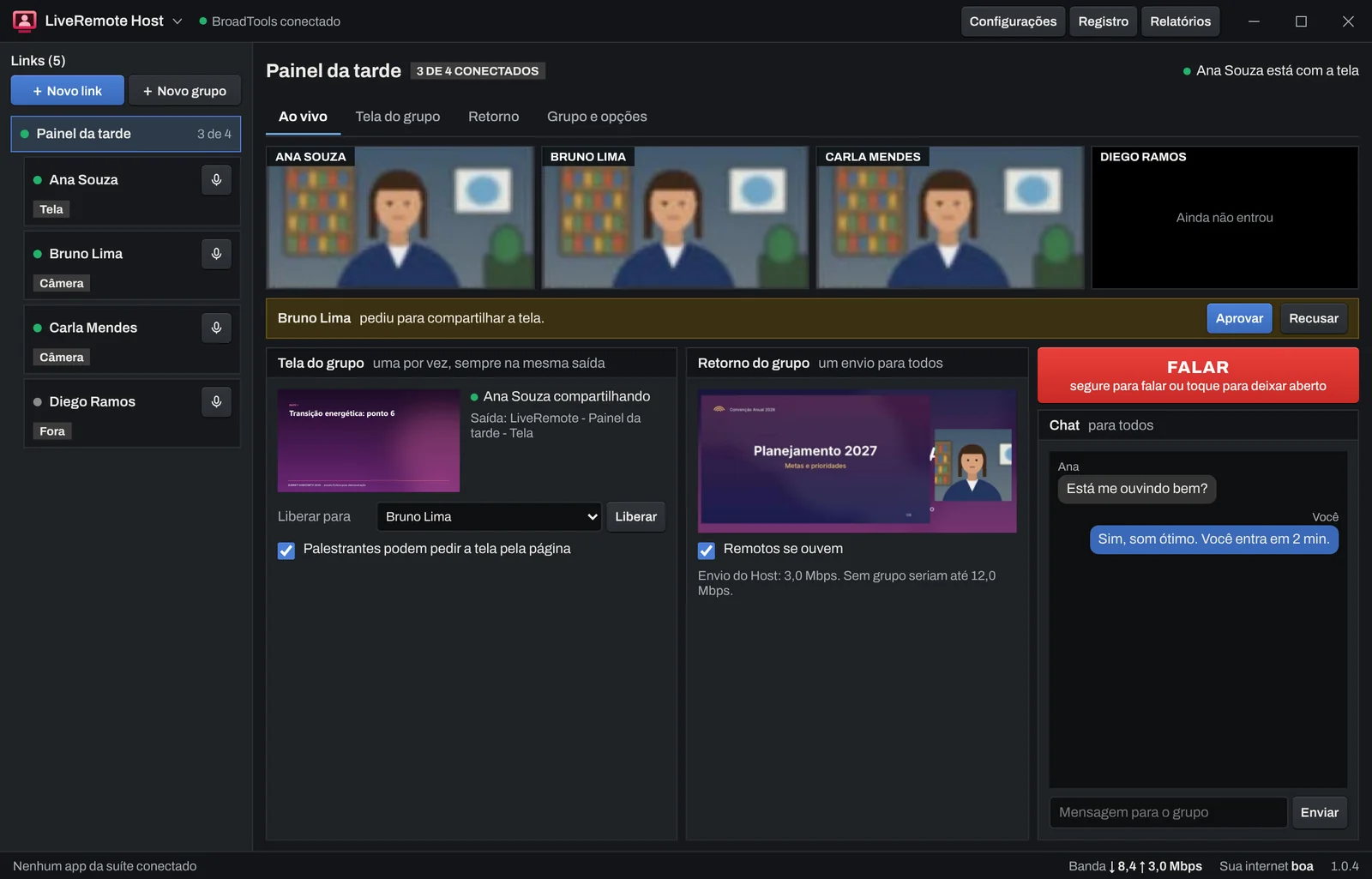
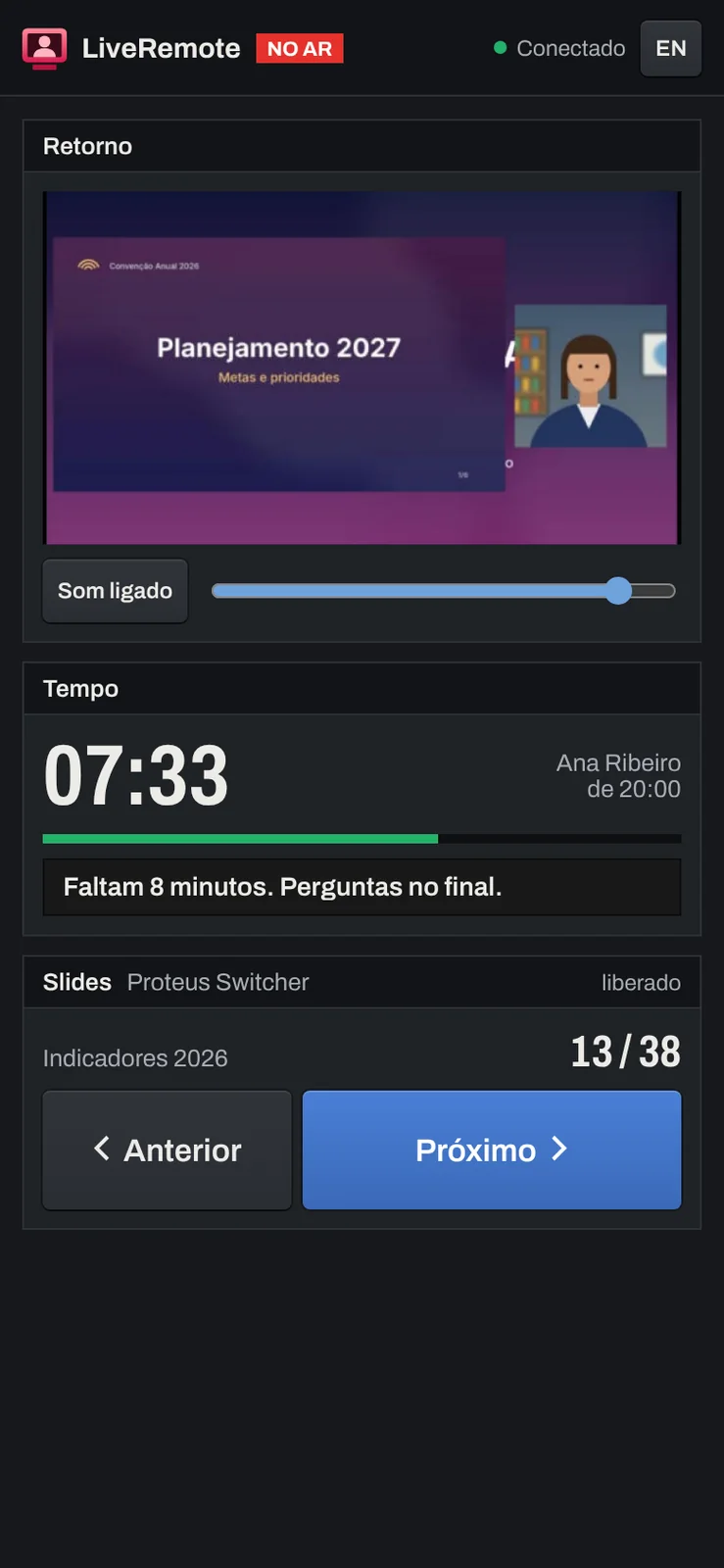
The speaker opens a link in the browser. Their camera and screen arrive separately at the event, their voice goes to the mixer, and they see program return, advance slides and talk to the crew.
- Remote speakersJoin by link, nothing to install
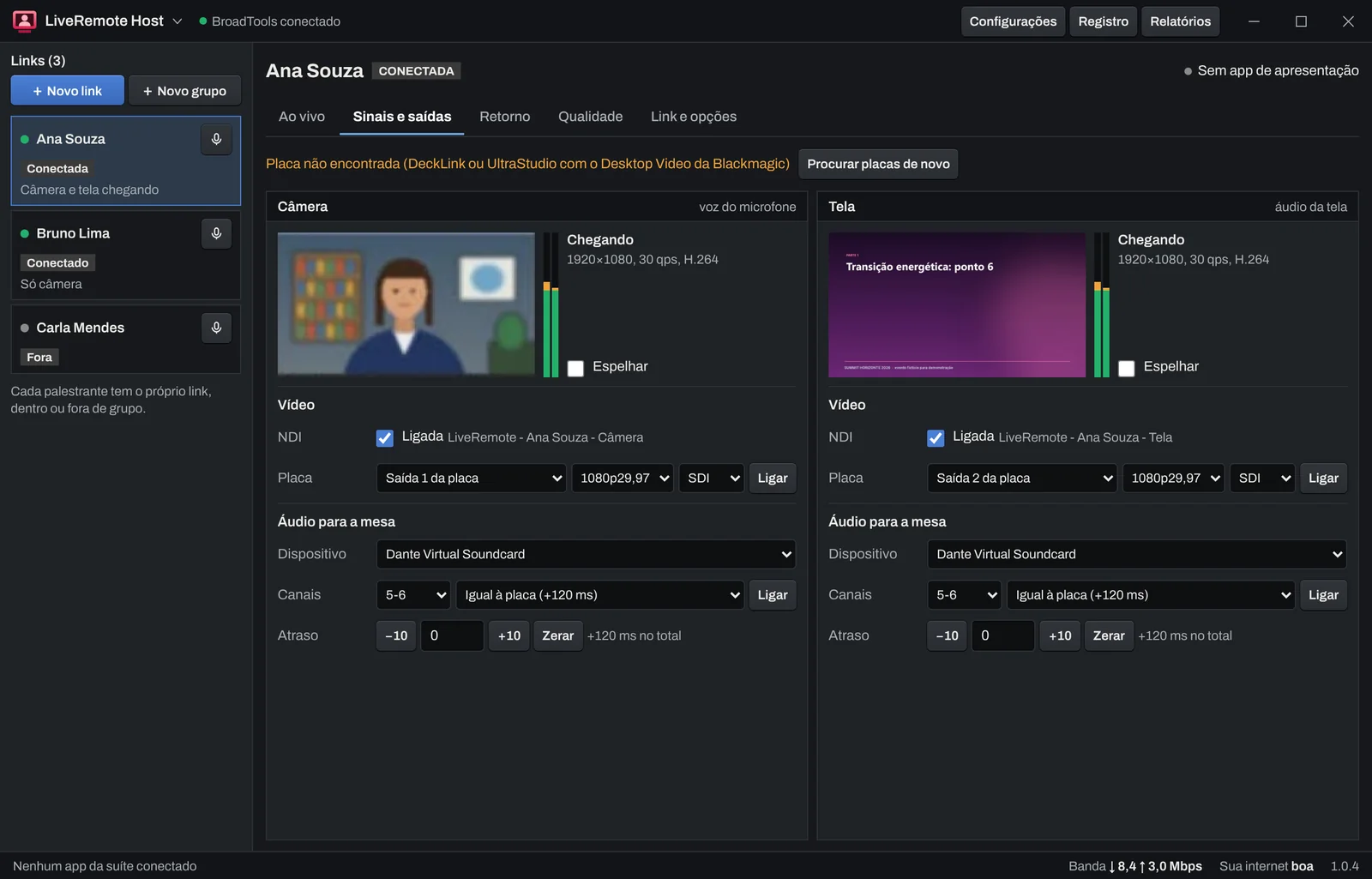
- Camera and screenSeparate over NDI and SDI/HDMI cards
- AudioTo the mixer, with lip-sync
- Chat and voiceDirect line to the crew
- ClickerProteus, Phantom and MixPresenter
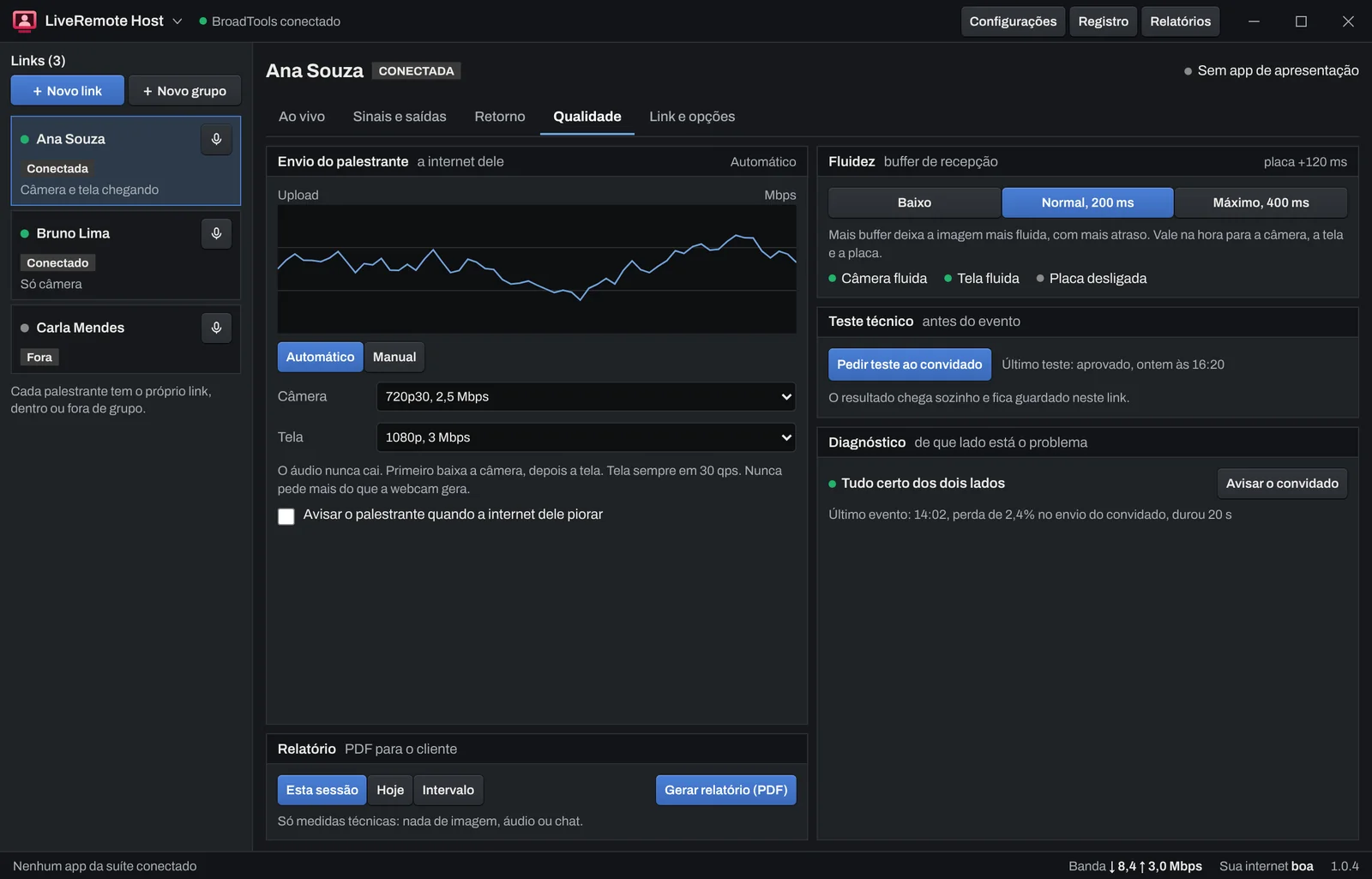
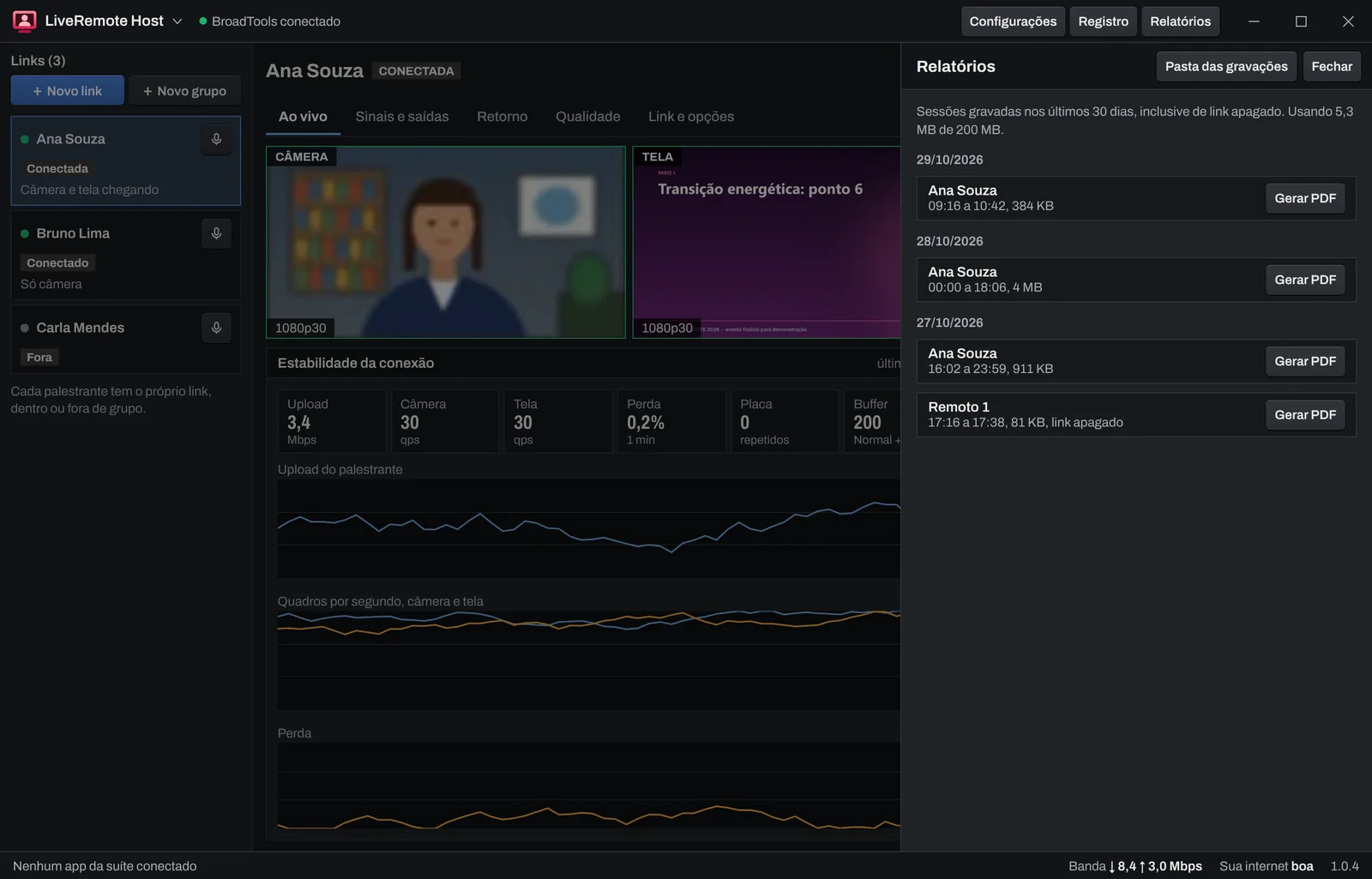
- ReportConnection PDF after the event
Main features
Free trial
You have 7 days to test with up to 2 speakers at a time and 2 speaker hours, without groups and without charges. One trial per account.
Download LiveRemote
Version 1.1.1. LiveRemote Host, for the event computer. Windows 10 or 11, 64-bit. NDI included with the app. Blackmagic Desktop Video only for capture and playback cards.
After installing, sign in with your BroadTools account email.
NDI® is a registered trademark of Vizrt NDI AB. ndi.video
Plans by speaker hours
Each remote speaker with camera or screen on air counts their own hours, in groups too. Hours start counting when media starts flowing; the connection test does not count.
Starter
- 2 speakers at a time
- No groups
- Cancel anytime
Pro
- 5 speakers at a time
- Speaker groups
- Cancel anytime
Production
- 15 speakers at a time
- Speaker groups
- Cancel anytime
Broadcast
- 30 speakers at a time
- Speaker groups
- Cancel anytime
Starter
- 2 speakers at a time
- No groups
- 12 months, 10% less than monthly
Pro
- 5 speakers at a time
- Speaker groups
- 12 months, 10% less than monthly
Production
- 15 speakers at a time
- Speaker groups
- 12 months, 10% less than monthly
Broadcast
- 30 speakers at a time
- Speaker groups
- 12 months, 10% less than monthly
For one event
Day pass
- 3 speakers at a time
- No groups
- Valid for 24 h from the first session
Group day pass
- 8 speakers at a time
- Speaker groups
- Valid for 24 h from the first session
Extra hour
Charged by the minute when the cycle closes.
Extra hour packs
For any plan, including the day pass. Valid for 12 months and used before extra hours. Buy them in your account.
- Nobody is cut off when the hours run out: the session goes on and counts as extra hours.
- In a group, each speaker counts their own hours.
- In your account: hours used, statement by event and by link, extra hours cap and invoices.
By completing your purchase, you agree to the Terms of Use and the Privacy Policy. See also the cancellation and refunds policy.
Also in bundles
Combine LiveRemote with other BroadTools apps and pay less. One key per app and a single bill.
- Sign in with email
- No license key to paste. The app opens with your BroadTools account.
- Your crew on one account
- Each person signs in with their own username, like jane.yourcompany. You choose who uses each app.
- Unlocks right away
- Once the payment is approved, the app unlocks when the person signs in.
System requirements
| Item | Minimum | Recommended |
|---|---|---|
| Host | Windows 10 or 11, 64-bit, Intel Core i5, 8 GB | Windows 10 or 11, 64-bit, Intel Core i7, 16 GB |
| Event internet | 10 Mbps upload per speaker | 20 Mbps upload per speaker, wired |
| Speaker | Up-to-date Chrome or Edge, camera and microphone | Up-to-date Chrome and wired internet |
Questions from operators
What counts as a speaker hour?
The time a speaker camera, screen or return is flowing. Idle links, the Host alone and the connection test do not count. In a group, each speaker counts their own hours.
What if we go over the plan hours mid event?
The event never drops. Hours come from your hour pack and, after that, count as extra hours, charged when the cycle closes. In your account you can turn extra hours off or set a cap.
What do I need on the event computer?
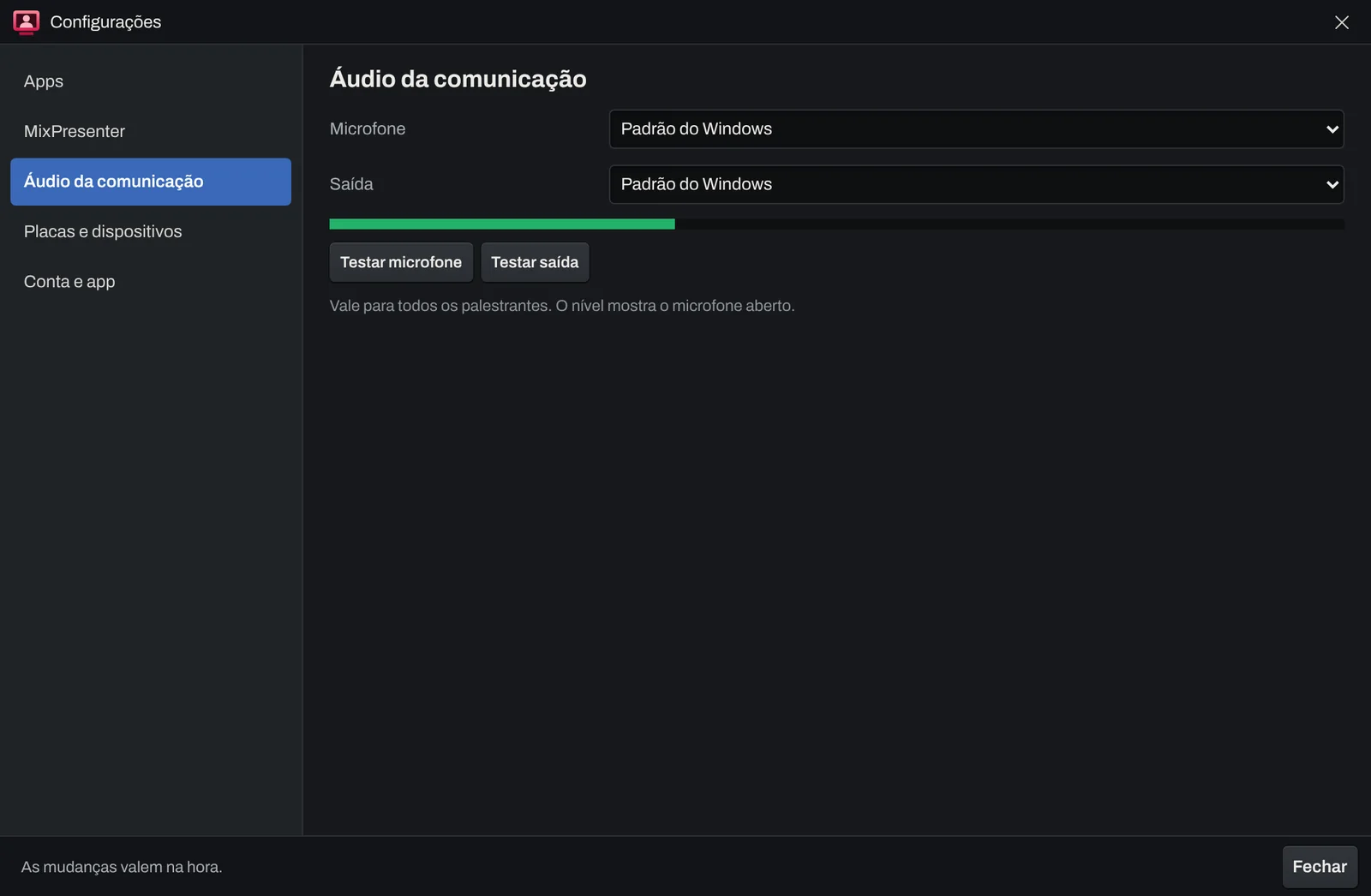
Windows 10 or 11, 64 bit, with a stable internet connection. For the card, a Blackmagic DeckLink or UltraStudio with Desktop Video installed. For NDI, the switcher network. Run the connection test with each speaker before the event.
What does the speaker need?
An up to date Google Chrome or Microsoft Edge on a computer, a webcam and a microphone, and at least 3 Mbps of upload. Other browsers work with a warning. On a phone they join with the camera only.
Do I need to open router ports?
No. Media goes through the Cloudflare network and the Host only opens outgoing connections.
Can I use it for a single event?
Yes. The day pass lasts 24 hours from the first speaker session or from the start you set in your account.
What is in the post-event report?
A PDF per speaker, or for the whole group, with the conclusion of where the problem was, time connected and on air, incidents, speaker and production indicators side by side, and upload, loss and delay charts. You choose the session, the day or a date and time range.
Windows or my antivirus warned me about the installer. Is it safe?
Yes, as long as the installer came from app.broad.tools. Windows SmartScreen warns when a program is new and has few downloads, not because it found a problem. Click "More info" and then "Run anyway". If your antivirus blocks it, add the installer or the app folder to its exceptions. Digital signing of the installers is on the way and will remove this warning.
Put your next remote guest on the big screen
Set up the links in the Host, send them to the speakers and get camera, screen and voice ready for the switcher and the mixer.